7 [追加]をクリックします。
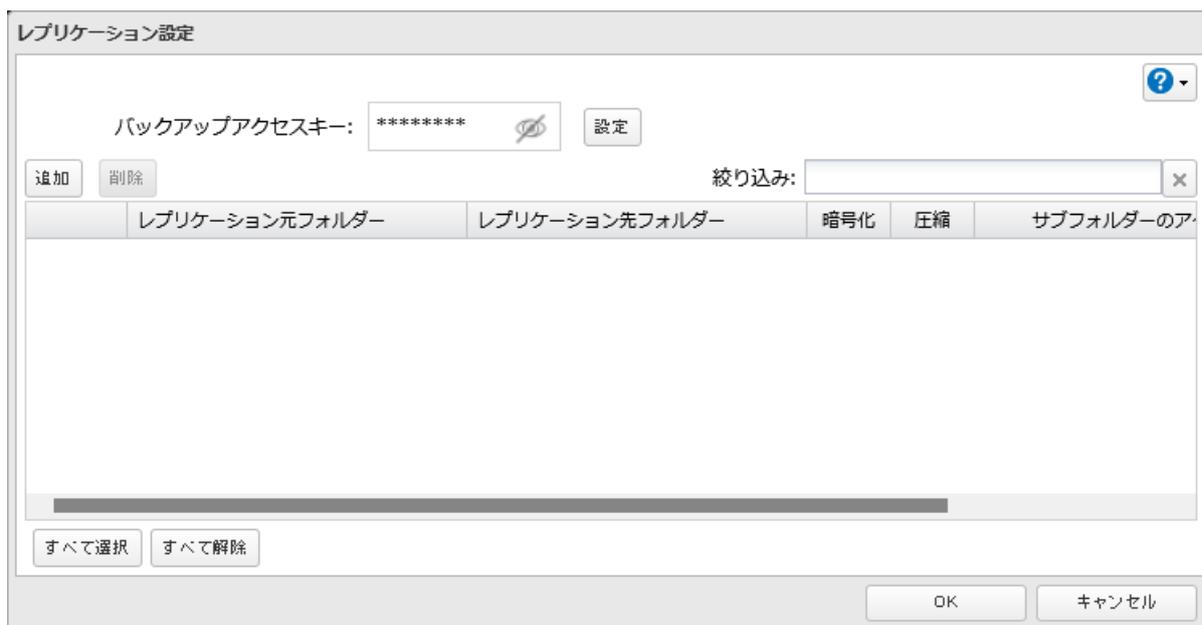
Screenshot of the Replication Settings dialog box. The 'Backup Access Key' field contains '*****'. Below it are 'Add' (追加) and 'Remove' (削除) buttons. To the right is a 'Filter' (絞り込み) input field. Below that is a table with headers: 'Replication Source Folder' (レプリケーション元フォルダー), 'Replication Destination Folder' (レプリケーション先フォルダー), 'Encryption' (暗号化), 'Compression' (圧縮), and 'Subfolder Access' (サブフォルダーのアクセス). At the bottom are 'Select All' (すべて選択) and 'Deselect All' (すべて解除) buttons, and 'OK' and 'Cancel' (キャンセル) buttons at the bottom right.
8 レプリケーション元とレプリケーション先を選択して、[OK]をクリックします。
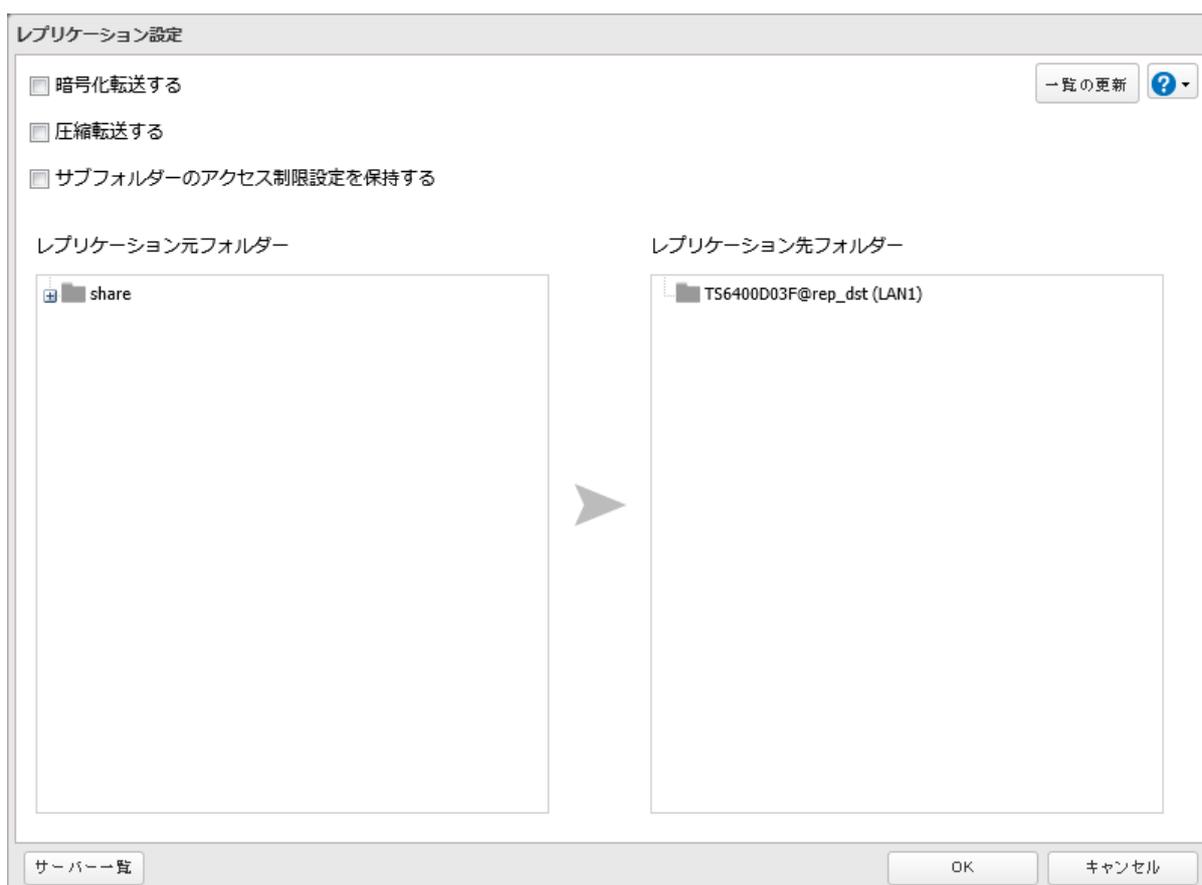
Screenshot of the Replication Settings dialog box. At the top are three checkboxes: 'Encrypt transfer' (暗号化転送する), 'Compress transfer' (圧縮転送する), and 'Maintain subfolder access restriction settings' (サブフォルダーのアクセス制限設定を保持する). Below are two panes: 'Replication Source Folder' (レプリケーション元フォルダー) containing 'share' and 'Replication Destination Folder' (レプリケーション先フォルダー) containing 'TS6400D03F@rep_dst (LAN1)'. A large arrow points from the source folder to the destination folder. At the bottom left is a 'Server List' (サーバー一覧) button. At the bottom right are 'OK' and 'Cancel' (キャンセル) buttons.
メモ: レプリケーションで使用するLAN端子(LAN3などで表示)を指定することもできます。