2 [一般] – [Time Machine]の順にクリックします。
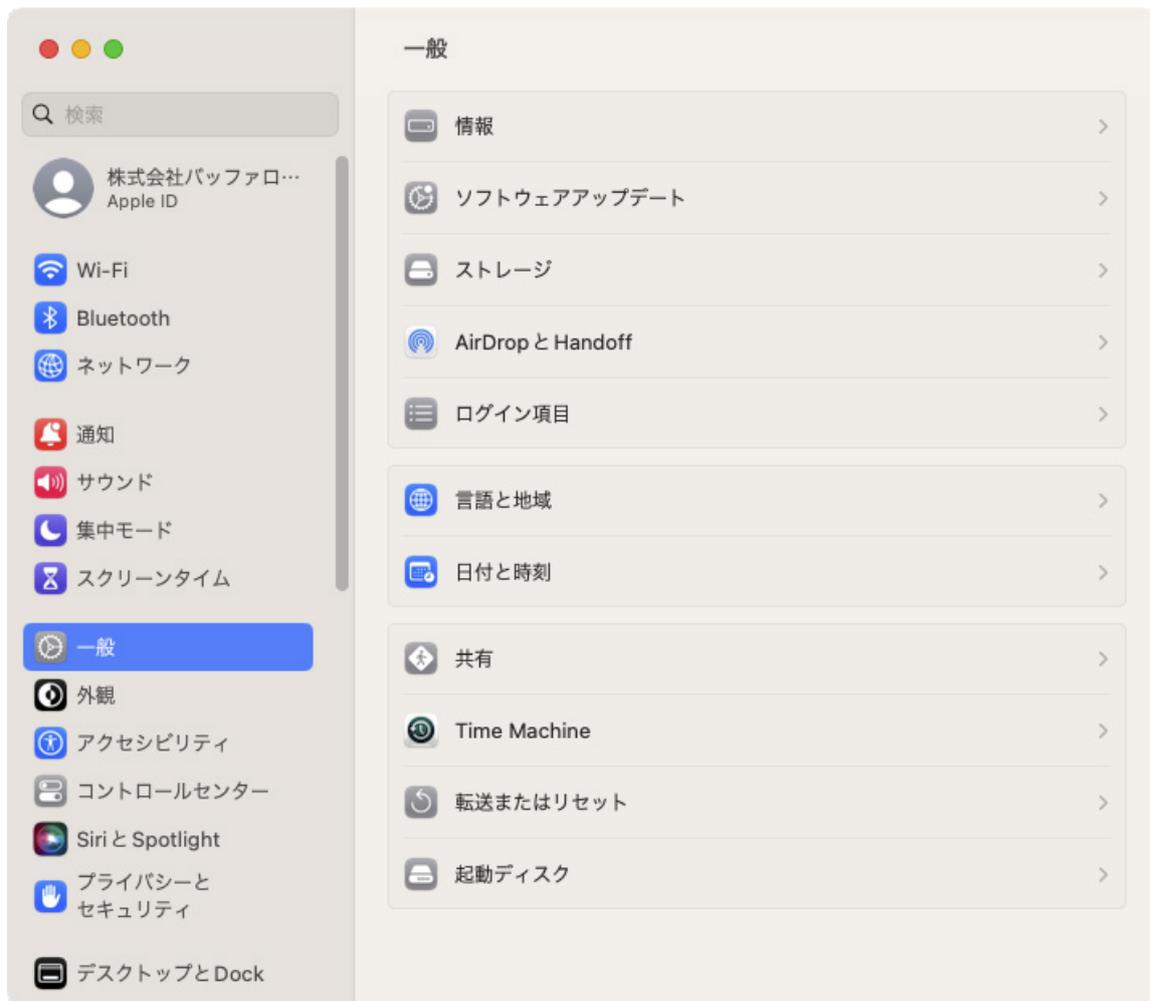
A screenshot of the macOS System Settings window. The window is titled '一般' (General). On the left sidebar, various system settings categories are listed, including '一般' (General), which is currently selected and highlighted in blue. The main pane on the right displays several settings groups. The first group contains '情報' (About), 'ソフトウェアアップデート' (Software Update), 'ストレージ' (Storage), 'AirDropとHandoff', and 'ログイン項目'. The second group contains '言語と地域' (Language & Region) and '日付と時刻' (Date & Time). The third group, titled '共有' (Sharing), contains '共有', 'Time Machine', '転送またはリセット', and '起動ディスク'. The 'Time Machine' option is visible in this list.
Screenshot of macOS System Settings showing the 'General' section with 'Time Machine' selected.