8 バックアップアクセスキーを次の手順で入力しますので、[OK]をクリックします。
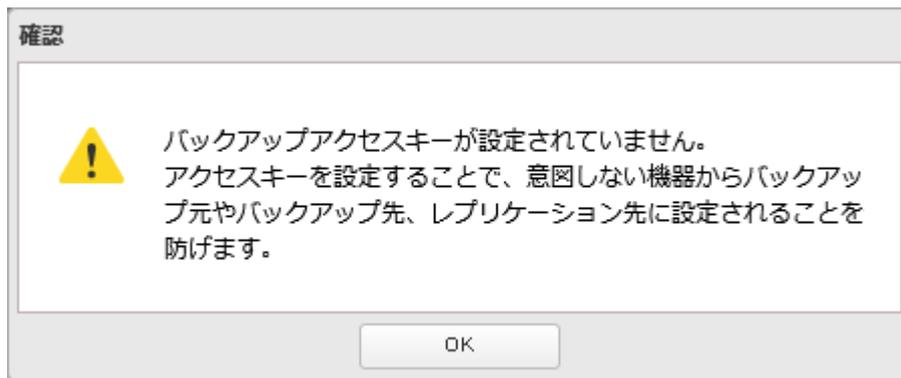
A confirmation dialog box titled '確認' (Confirm). It contains a yellow warning triangle icon and the following text: 'バックアップアクセスキーが設定されていません。アクセスキーを設定することで、意図しない機器からバックアップ元やバックアップ先、レプリケーション先に設定されることを防げます。' (The backup access key is not set. Setting the access key prevents unauthorized devices from being set to the backup source, backup destination, or replication destination. Click OK to continue.) There is an 'OK' button at the bottom.
9 「バックアップアクセスキー」欄に任意の文字を入力し、[OK]をクリックします。

A close-up of the 'バックアップアクセスキー:' (Backup Access Key:) label followed by a text input field containing six asterisks '*****' and a cursor.
メモ:
-
• バックアップ元やバックアップ先に設定した共有フォルダーを誤って選択されないように「バックアップアクセスキー」を設定してください。
バックアップアクセスキーを設定すると、バックアップ設定画面でバックアップアクセスキーを登録した場合だけ、バックアップ元やバックアップ先フォルダーとして表示されます。 - • このバックアップアクセスキーは、ほかのバックアップタスクやレプリケーションで使用するバックアップアクセスキーと同一のものです。
以上で、Amazon S3連携タスクを作成する手順は完了です。
メモ:
- • Amazon S3連携フォルダーをNFSで公開してもNFSクライアントからマウントすることはできません。
- • Amazon S3連携フォルダーをWebアクセス機能で公開した場合、Webアクセス機能でこの共有フォルダーにファイルをアップロードすることはできません。
- • Amazon S3連携フォルダーをレプリケーション機能のレプリケーション先には設定しないでください。
- • 作成したタスクの編集画面で誤ったバケット名に変更すると、誤ったバケット名でも登録できてしまいます。このようなときは、もう一度編集して、正しいバケット名を登録してください。