2 設定画面を開きます。
Windows:本製品のアイコンを右クリックし、[Web設定画面を開く]をクリックします。
Mac:コントロールキーを押しながら本製品のアイコンをクリックし、[Web設定画面を開く]をクリックします。
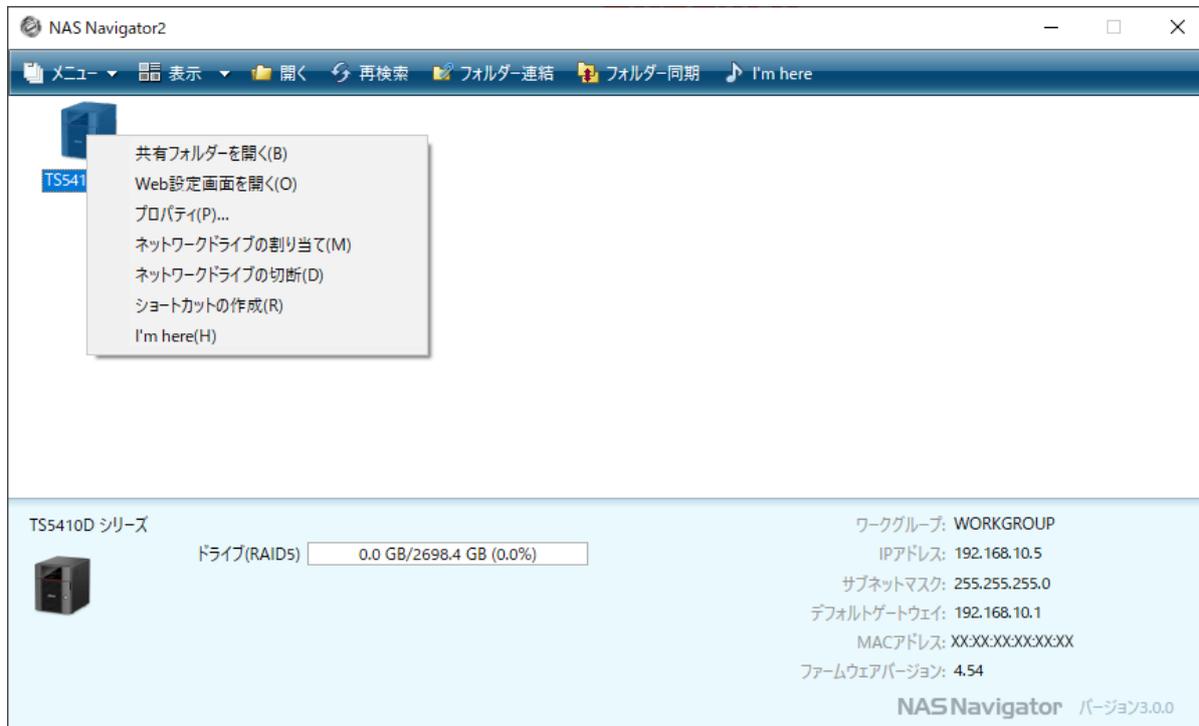
Screenshot of NAS Navigator2 showing the context menu for a TS4410D series NAS device. The menu includes options like 'Open shared folder (B)', 'Open Web settings (O)', 'Propertie (P)...', 'Assign network drive (M)', 'Disconnect network drive (D)', 'Create shortcut (R)', and 'I'm here (H)'. The bottom status bar shows details for the TS4410D series, including drive status, workgroup, IP address, and firmware version.
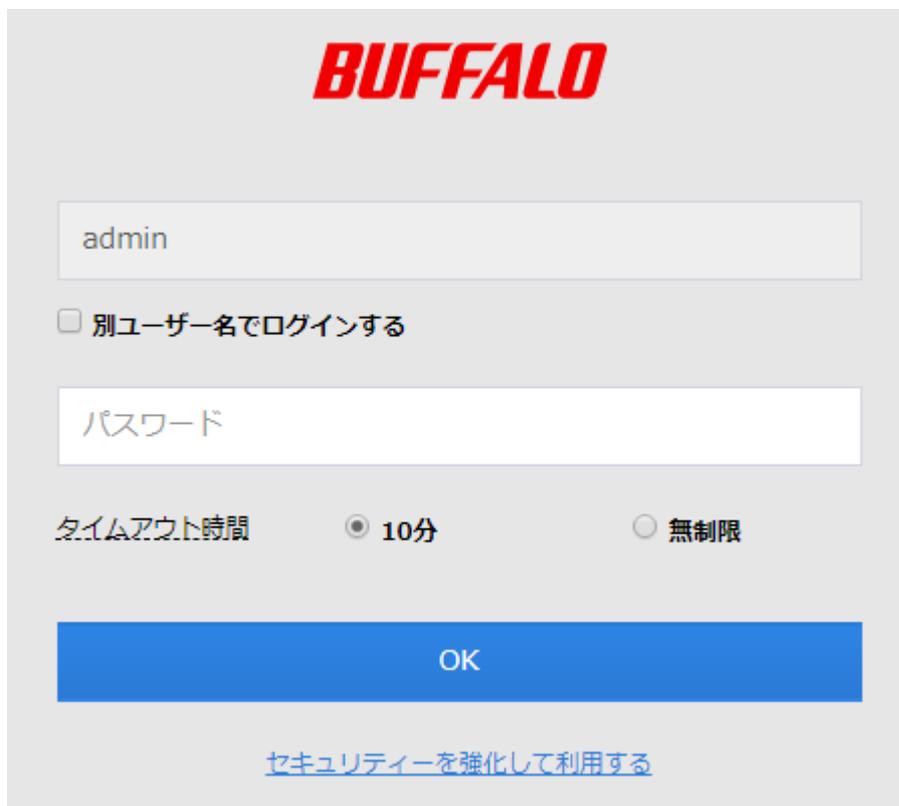
3 管理者ユーザー名とパスワードを入力し、[OK]をクリックします。
メモ:
-
• 管理者ユーザー名、パスワードは、出荷時設定では次のようになっています。
ユーザー名:admin