3 ステータスランプが赤色に点灯しているドライブのつまみを左方向に押しながら手前に引きます。
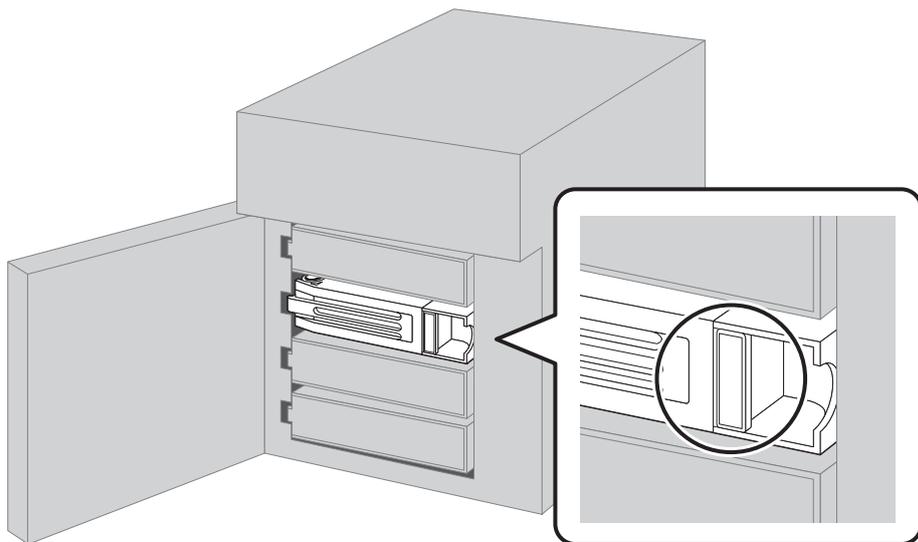
Diagram showing the removal of a drive unit. A 3D perspective view of a server with its front panel open shows a drive unit being pulled out. A circular callout provides a close-up view of the drive's front bezel, highlighting a small rectangular latch or handle that is being pressed to the left to release the drive.
ステータスランプが赤色または緑色に点滅している場合はドライブを抜かないでください。データの消失、本製品が故障する恐れがあります。
4 カートリッジごとドライブを手前に引き出し、抜きます。
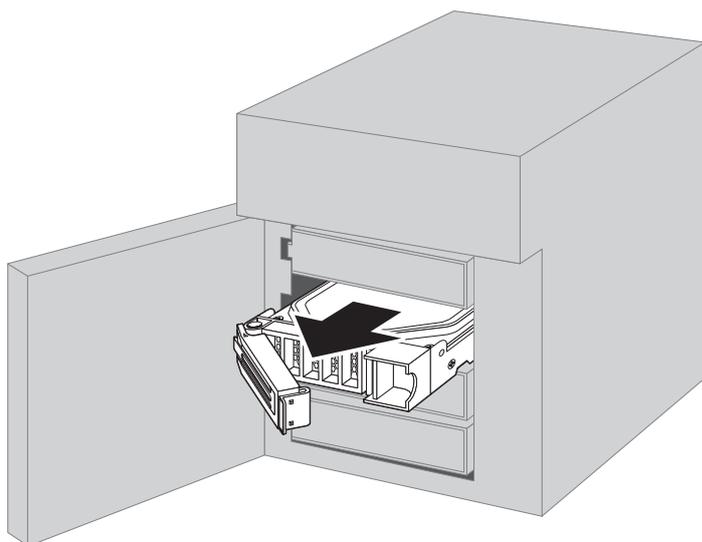
Diagram showing the final step of drive removal. The 3D perspective view of the server shows the drive unit, including its cartridge, being pulled completely out of the drive bay. A large black arrow points forward, indicating the direction of removal.