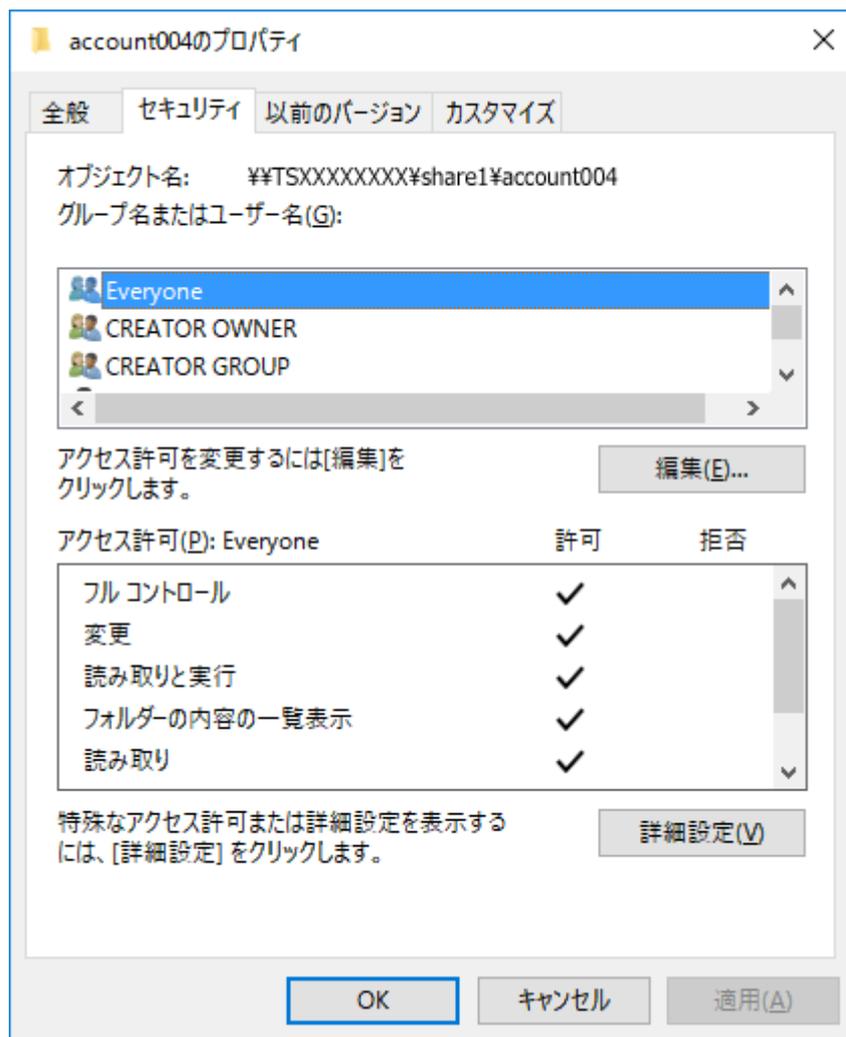
Screenshot of the 'account004のプロパティ' (Properties of account004) dialog box, Security tab. The 'Object name' is '¥TSXXXXXXX¥share1¥account004'. The 'Group name or user name' list includes 'Everyone', 'CREATOR OWNER', and 'CREATOR GROUP'. The 'Access permissions' for 'Everyone' show 'Full control', 'Change', 'Read and execute', 'List folder contents', and 'Read' all checked under the 'Allow' column. Buttons for 'Edit', 'Advanced Settings', 'OK', 'Cancel', and 'Apply' are visible.
サブフォルダのアクセス権限はドメインユーザー、グループでも設定できます。その場合は、サブフォルダに対してアクセス権限を設定する前に、本製品をActive Directoryドメインのネットワークに参加させてください。
メモ:
- • 本製品に接続したUSBドライブに対して本機能を有効にするには、USBドライブをXFSまたはEXT3形式にフォーマットしてください。
-
• ファームウェアVer.3.00より前のバージョンで本製品をActive Directoryに参加させた状態で、Ver.3.00にアップデートしてサブフォルダのアクセス制限を使用するときは、本製品に登録されているドメインアカウントのUID、GIDを更新する必要があります。
設定画面で[ファイル共有]-[SMB]-[編集]をクリックして表示された画面で、「ドメインユーザーのUID/GID」の横にある[更新する]をクリックしてください。 - • ローカルアカウントに対するサブフォルダのアクセス権限情報を保持したままバックアップ先やレプリケーション先にコピーするには、バックアップ/レプリケーション元とバックアップ/レプリケーション先のTeraStationで同じワークグループ名、ユーザーID、グループIDを設定してください。
- • 上記の画面で「許可」の下にある「読み取りと実行」のチェックマークを外して、「サブフォルダのアクセス制限設定」を有効から無効にした場合、「読み取りと実行」のチェックマークが付いている状態の動作になります。
- • 本製品の設定を初期化した場合は、UID、GIDを初期化する前の値に設定し直すことで、フォルダ・ファイルの所有者情報やアクセス権限情報の設定を戻すことができます。