Amazon S3連携タスクを作成する
メモ: バケットを作成した直後ではタスクが作成できないことがあります。そのようなときは、しばらく待ってからもう一度タスクを作成してください。バケットを作成してからタスクが作成できるようになるまで、最大24時間かかります。
1 以下のホームページであらかじめアカウントとバケットを作成します。
2 設定画面で「クラウドストレージ連携」をクリックします。

A dark grey rectangular button with a white cloud storage icon on the left and the text "クラウドストレージ連携" in white.
3
「Amazon S3連携」の横にある設定アイコン(
 )をクリックします。

A horizontal bar showing "Amazon S3連携" with an S3 icon, a toggle switch, and a gear icon (settings) to the right.
4 「追加」をクリックします。
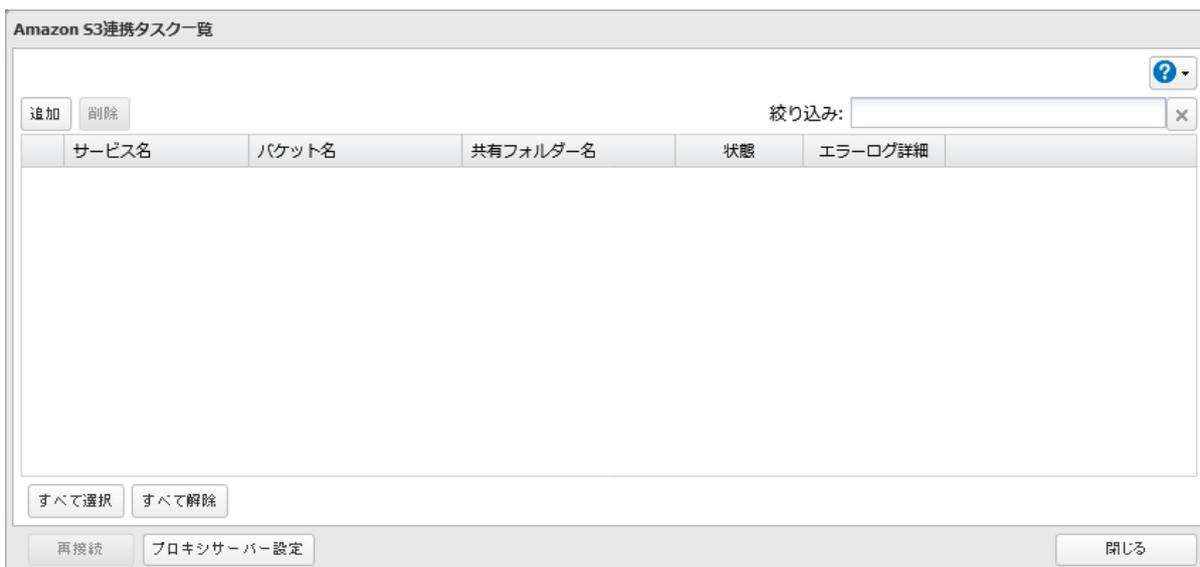
A window titled "Amazon S3連携タスク一覧". It contains "追加" and "削除" buttons, a search bar with "絞り込み:", a table with headers "サービス名", "バケット名", "共有フォルダー名", "状態", and "エラーログ詳細", and buttons "すべて選択", "すべて解除", "再接続", "プロキシサーバー設定", and "閉じる" at the bottom.