3 「秘密鍵」にserver.key、「サーバー証明書」にserver.crtを登録し、「読み込む」をクリックします。
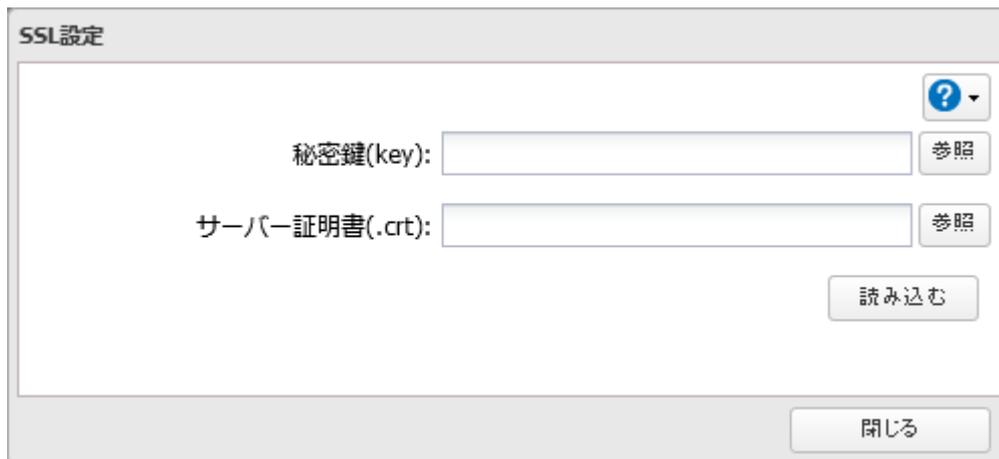
A screenshot of the "SSL設定" (SSL Settings) dialog box. It contains two text input fields: "秘密鍵(key):" and "サーバー証明書(.crt):". To the right of each field is a "参照" (Browse) button. Below the fields is a "読み込む" (Load) button. At the bottom right of the dialog is a "閉じる" (Close) button. There is also a help icon in the top right corner.
SSL設定 dialog box showing fields for 秘密鍵(key) and サーバー証明書(.crt) with '参照' (Browse) buttons, a '読み込む' (Load) button, and a '閉じる' (Close) button.
以上で、SSLサーバー証明書を更新する手順は完了です。
メモ:
- • SSLキーファイル(server.key、server.crt)は、Cドライブの直下などに置いてください。マルチバイト文字などが含まれるフォルダー、パスに置いた場合、SSLキーを更新できないことがあります。
- • 更新後に設定画面が表示できなくなったときは、本製品の設定を初期化してください。本製品の初期化は、第7章の 「設定を出荷時状態に戻す」(P.253) を参照してください。
- • ファームウェアを更新すると、SSLキーは初期化されます。アップデート後にもう一度設定してください。
起動認証機能を使用する
本機能は、本製品起動時に認証を行い、認証サーバーの管理外の環境で不正に本製品が使われるのを防ぐ機能です。万が一本製品が盗難にあっても、重要なデータの漏洩を防止できます。
はじめに
- • 本機能を使用するには、認証サーバーとしてWindowsパソコンが必要です。
-
• 本機能を実行すると、本製品内蔵のドライブはフォーマットされ、保存されているデータはすべて消去されます。大切なデータはあらかじめ別の場所にバックアップしてください。
ドライブがフォーマットされることでデータは消去されますが、RAIDモードは保持されます。 - • 本機能を使用するときは、本製品に固定IPアドレスを設定することをおすすめします。
- • 認証サーバーに本製品を登録したあとは、ソフトウェアの「エクスポート」機能を使用して情報を必ずバックアップしてください。エクスポートの手順はソフトウェアのヘルプ第2章の「管理対象のTeraStationをインポート/エクスポートする」を確認してください。
-
• 起動認証機能は以下の機能が有効になっていると使用できません。また、起動認証機能が有効になっているときは以下の機能が使用できなくなります。
- ◦ ドライブ暗号化機能
- ◦ LVM機能
- ◦ iSCSI機能